
AI in CAD: How AI Is Transforming Design and Engineering
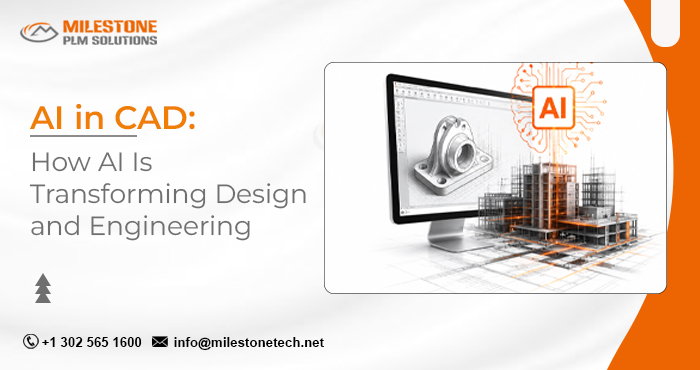
AI in CAD is designed to be more efficient and automated. Engineers have traditionally worked manually to create geometry, modify models, review designs, simulate, and record details. AI in CAD offers machines learning, generative algorithms, automation, computer vision, natural language processing, and predictive analytics to assist engineers in these tasks.
AI has far more to offer engineers than just models generated from text prompts. AI offers more ways for engineers to explore design options, automate repetitive tasks, improve designs, find problems earlier, and gain more benefit from existing engineering data and knowledge. From mechanical components and industrial equipment to automotive, aerospace, architecture, and manufacturing, AI-assisted CAD has become an integral part of the engineering workflow, helping engineers to improve design performance and engineering decision-making.
What Is AI in CAD?
AI in CAD is the use of artificial intelligence and machine learning technologies in computer-aided design software and engineering workflows for design creation, optimization, analysis, automation, and decision-making.
Traditional CAD relies on the engineer’s understanding and interaction with modeling software. Engineers design dimensions, sketch, constrain, modify, review, and iterate through different design concepts.
AI can complement this workflow by learning from design data, identifying patterns, suggesting alternatives, recommending actions, automating repetitive tasks, and helping engineers evaluate design decisions.
The meaning of simplicity is that the student has to know everything in order to learn effectively.
- Traditional CAD: Engineer creates and changes the design.
- AI-assisted CAD: Engineer defines the design intent, while AI helps create, analyze, and improve the design.
The engineer has sole responsibility for engineering judgement, validation, safety, manufacturability, and design decisions.
How Does AI Work in CAD?
AI-enabled CAD combines several technologies, rather than a single form of artificial intelligence.
Machine Learning
Machine learning can learn patterns from CAD models, engineering information, simulations, and manufacturing data.
For example, an AI system may analyze previous designs and spot recognizable geometric patterns, commonly used components, or designs that have performed well.
Generative Algorithms
Generative design systems can explore different alternative options based on engineering needs such as:
- Loads
- Material
- Weight targets
- Manufacturing processes
- Space constraints
- Safety requirements
- Performance objectives
- Cost considerations
Instead of creating every variation by hand, engineers can instead simply define the requirements and then allow computer programs to explore the possible solutions.
Computer Vision
Computer vision systems are used to interpret drawings, geometry, scan components, images, and other visual information.
Applications for the applications of this type include:
- Feature recognition
- Drawing interpretation
- Design inspection
- Existing-part digitization
- Geometry classification
Natural-Language Interfaces
AI is also making CAD software conversational.
Instead of manipulating multiple commands, designers may increasingly enter natural language into the design system to search for information about engineering and design, extract knowledge about design, suggest solutions or perform certain modeling operations.
Predictive Analytics
AI will analyze engineering or simulation data and predict results.
In this way, engineers can evaluate design performance before building prototypes or doing extensive iterations.
How Is AI Used in CAD?
AI is applicable to almost any stage of the engineering design process.
1. Automating Repetitive CAD Tasks
Engineers spend significant time modeling and documenting their work.
AI can help with repetitive tasks such as:
- Recognition for the best feature.
- Modifications in design.
- Drawing preparation.
- Component classification.
- Design data organization.
- Repetitive modeling processes.
- Writing assistance / support with documents.
Reduced repetitive work allows engineers to concentrate on engineering decision making and designing problems.
2. Generating Design Alternatives
A key use case for AI in CAD is design exploration.
Traditional design processes may require engineers to create multiple alternatives.
AI-assisted systems can experiment with various configurations based on predefined requirements.
For example, an engineer designing a structural bracket may define:
- Maximum allowable weight
- You are writing an assistant.
- Applied load
- Material is the way to go!
Available manufacturing process:
- Mounting location
- Required safety factor
- You are writing assistant
- Physical envelope
- The system can then explore different geometric solutions.
The engineer evaluates all options available and selects the solution that meets the engineering requirements best.
3. Design Optimization
AI can help improve CAD models for specific goals.
Common optimization targets include:
- Weight reduction
- Strength improvement
- Material reduction
- Thermal performance
- Cost reduction
- Manufacturing efficiency
- Performance improvement
The capability is especially important when simultaneous engineering requirements are to be considered.
4. Early Design Error Detection
AI can help engineers locate problems before they become expensive downstream issues.
Depending on the CAD environment and information available, AI could identify:
- Unusual geometry
- Design differences
- Potential conflicts
- Missing information
- Manufacturing concerns
- Repeated design errors
- Deviations from established standards
AI is not a substitute for engineering review, but it can be a supplement.
5. Engineering Knowledge Retrieval
Large engineering firms have years of CAD models, drawings, specifications, standards, design rules, and project documentation.
Finding the right information can be a challenge.
Artificial Intelligence (AI) may help engineers uncover relevant engineering information from large amounts of data.
Instead of looking through thousands of files manually, the engineer could ask for parts previously used, designs similar to his own, specifications in the same field, or historic engineering data.
6. AI-Assisted Simulation
Simulation is another area where AI can have a significant impact.
Traditional simulations typically entail considerable computation and many iterations.
AI and machine learning can be used to produce model predictions, estimating the outcome of simulations or identifying promising configurations.
This could potentially reduce the number of expensive simulation iterations needed during design exploration
Nonetheless, AI-generated predictions should be validated by appropriate engineering simulations and testing methods.
AI in CAD vs Traditional CAD
The difference is not that one uses artificial intelligence, and the other does not. The real difference is how much of the design process is manual or automated. Let’s understand the real difference between traditional CAD vs AI Assisted CAD.
| Traditional CAD | AI-Assisted CAD |
|---|---|
| Engineer manually creates geometry | AI can assist with geometry creation |
| Limited design alternatives may be explored | Multiple alternatives can be explored computationally |
| Repetitive operations are performed manually | AI can automate or assist with repetitive tasks |
| Engineers manually identify many design patterns | AI can identify patterns in design data |
| Design optimization can require multiple manual iterations | AI can explore optimization possibilities |
| Engineering information is often manually searched | AI can assist with knowledge retrieval |
| Simulation may rely heavily on iterative workflows | AI can assist with prediction and optimization |
| Engineer makes the final decision | Engineer remains responsible for final validation |
The objective of AI in CAD is not about the exclusion of engineers, but to make the workflow smarter.
AI in CAD vs Generative Design
AI in CAD is related to generative design but not the same thing.
Generative design is one application of the AI-assisted and computational engineering design.
In engineering practice, the base for the creative design approach is always engineering requirements and constraints.
For example:
Requirements → Constraints → Objectives → Design alternatives → Simulation → Evaluation → Optimization → Final design
An engineer can specify the available material, manufacturing method, loads, dimensions, and performance requirements.
The system can then generate different designs and evaluate the various options.
AI in CAD has an even broader range.
It can include:
- Design automation
- Generative design
- Feature recognition
- Design optimization
- Knowledge retrieval
- Drawing assistance
- Design validation
- Predictive analytics
- Engineering workflow automation
Therefore:
Generative design is part of the AI-assisted CAD ecosystem, but AI in CAD extends beyond generative design.
Applications of AI in Different Engineering Industries
AI can be used to support engineering design, depending on the technical discipline.
Mechanical Engineering
AI can help mechanical engineers with:
- Designing parts
- Designing features
- Simulation aiding
- Manufacturing
- Engineering documentation
- Feature recognition
- Optimisation of assemblies
- Part design
- Assembly options
With complex mechanical devices, AI enables engineers to explore more design areas than is feasible through manual trial and error.
Automotive Engineering
Automobiles must meet strict standards of weight, safety, aerodynamics, manufacturing, cost, and performance.
AI-assisted CAD can support:
- Lightweight component design
- Structure optimization
- Aerodynamic optimization
- Packaging studies
- Design exploration
- Manufacturing optimization
Aerospace Engineering
Aerospace components must meet the most demanding requirements while being light.
AI-based engineering design can allow us to explore optimal structures taking into account:
- Loads in the structure
- Materials
- Weight
- Limitations in manufacture
- Aerodynamics
- Safety requirements
Engineering validation remains important because aerospace applications have extremely stringent regulatory and safety requirements.
Industrial Equipment
Industrial machinery is often large assemblies with a variety of components and design relationships.
The following AI tools help:
- Assembly analysis
- Component reuse
- Design standardization
- Configuration management
- Design optimization
- Engineering knowledge retrieval
Manufacturing
AI in CAD can also connect design decisions with manufacturing considerations.
Design systems can now check the capability of a proposed geometry for such processes as:
- CNC machining
- Injection molding
- Sheet metal fabrication
- Casting
- Additive manufacturing
This enables a closer connection between design intent and the possibility of being manufactured.
Architecture and AEC
AI-assisted design is also influencing architecture and the broader AEC industry.
Potential applications include:
- Generative building concepts
- Design optimization
- Space planning
- Building performance analysis
- BIM assistance
- Clash detection
- Automated documentation
- Design visualization
The combination of AI, BIM, digital twins, and simulation could significantly change how building projects are planned and delivered.
A Practical Example of AI in CAD
Consider an engineer designing a lightweight mechanical mounting bracket.
With a traditional workflow, the engineer may:
- Create the initial geometry.
- Apply dimensions and constraints.
- Define the material.
- Run a simulation.
- Identify areas of high stress.
- Modify the geometry.
- Run another simulation.
- Repeat the process.
- Manufacture a prototype.
- Test the physical component.
An AI-assisted workflow could begin with the same engineering requirements but introduce intelligent design exploration.
The engineer provides:
- Load conditions
- Material
- Manufacturing process
- Weight target
- Mounting points
- Space limitations
- Performance requirements
The system can consider different configurations and identify possible design options.
The engineer identifies the alternatives, reviews engineering and manufacturability, and selects the best option.
The main difference is that AI extends the design exploration process, but the engineer is still responsible for engineering decision.
What Are the Benefits of AI in CAD?
AI can provide several potential advantages when correctly integrated into engineering workflows.
- Faster Design Iterations – AI can help explore alternatives faster than manually creating every variation.
- Reduced Repetitive Work – Automation can reduce the amount of time engineers spend performing repetitive modeling, documentation, and data-related activities.
- Greater Design Exploration – Engineers can evaluate more design possibilities without manually creating each alternative.
- Improved Optimization – AI can help identify designs that balance multiple objectives such as weight, strength, cost, and manufacturability.
- Earlier Identification of Problems – AI-assisted analysis can help identify potential design issues earlier in the development process.
- Better Use of Engineering Data – Organizations can use historical CAD and engineering information to support future design decisions.
- Reduced Development Cycles – When design exploration, optimization, and analysis become faster, overall development cycles may potentially become shorter.
- Improved Engineering Productivity – The greatest value may come from allowing engineers to spend less time on repetitive tasks and more time on design intent, problem-solving, validation, and decision-making.
What Are the Challenges of AI in CAD?
This brings problems to CAD as well.
- Engineering Validation – AI-generated or AI-recommended design do not assume they are correct. Engineers must verify the design for their engineering purposes.
- Data Quality – Machine learning depends heavily on the quality of the data it uses. Improperly sourced, inconsistent, or incomplete engineering data can lead to inaccurate recommendations.
- Design Intent – CAD models have more than geometry; they contain engineering intent, relationships, constraints, manufacturing considerations, and product requirements. Understanding this context is a challenge for AI systems.
- Intellectual Property – Engineering organizations must be careful about the storage and processing of proprietary CAD models, product designs and technical information.
- Integration – AI tools need to integrate well with existing: CAD systems PLM platforms PDM systems ERP systems Simulation tools Manufacturing systems. Integration issues can limit the utility of AI.
- Trust and Explainability – Engineers need to understand why an AI system is suggesting a particular design or decision. Explainability becomes particularly important in safety-critical applications.
- Human Oversight – AI should not remove engineering responsibility. For AI to be reliable, it needs a human eye to review and validate that process.
Will AI Replace CAD Designers and Engineers?
The real question is not whether AI will completely replace CAD engineers but how AI will change the role of engineers.
AI is particularly good at processing large amounts of data, identifying trends, exploring options, and automating repetitive tasks.
Engineers provide something different:
- They are not just engineers; they are technicians.
- Engineering judgment is very important.
- Design intention.
- Your expertise in your field is a great bonus for us.
- Creativity is key.
- Manufacturability knowledge is a major feature of manufacturing.
- Safety considerations
- Understanding regulatory understanding.
- Practical decision-making process.
In the future, as AI gets more capable, engineers might spend less time creating every design element manually and more time defining requirements, evaluating alternatives, validating results, and making engineering decisions.
The future is therefore more likely to be: Engineer + AI .
Instead of: Engineer vs AI.
AI CAD Software and Platforms
All major CAD and engineering software vendors have AI capabilities built into their products.
Examples include platforms and technologies from:
- Autodesk
- PTC
- SOLIDWORKS
- Siemens
- Dassault Systèmes
- Other CAD and engineering software providers
Organizations can also leverage professional CAD services to implement, optimize, and integrate AI-enabled CAD workflows based on their specific engineering requirements.
This varies by platform, and continues to grow.
Some systems work with generative design, others focus on AI helpers, automation, prediction, design optimization or engineering knowledge.
An organization considering a CAD application that supports AI should look beyond “AI” and look at the real-world capabilities relevant to their engineering process.
Assessment criteria include the following:
- CAD integration
- Existing workflow compatibility
- AI capabilities
- Data security
- PLM/PDM integration
- Simulation integration
- Manufacturing support
- Customization
- Engineering validation
- User adoption
How AI Could Change the CAD Workflow
The traditional engineering workflow has often looked like:
Requirement → Concept → CAD Modeling → Simulation → Modification → Validation → Documentation → Manufacturing
AI-assisted engineering can move toward:
Requirement → Engineering Intent → AI-Assisted Design Exploration → Optimization → Simulation → Engineer Validation → Final CAD → Manufacturing
This does not mean every stage will become autonomous.
Instead, AI can become an additional intelligence layer across the engineering process.
AI + CAD + PLM + Digital Twins
The future impact of AI may extend beyond CAD software itself. CAD is only one source of engineering information.
Organizations also generate data through:
- Product lifecycle management
- Product data management
- Simulation
- Manufacturing
- Quality systems
- IoT
- Digital twins
- Service and maintenance
These data sources are connected and AI could potentially provide a greater understanding of a product throughout its lifecycle.
Example:
CAD data + PLM data + Simulation data + Manufacturing data + Product performance data could provide a much richer data set for engineers to make future decisions.
AI has the capability to help product lifecycle engineers instead of simply assisting CAD models.
Future of AI in CAD
The next stage of AI in CAD is likely to be further integration into engineering workflows.
Several developments are of particular importance.
- Natural-Language CAD – Engineers are interacting with CAD systems more and more through natural language. Instead of wading through commands and commands, a designer could describe a design requirement and have AI assist with the design workflow.
- AI Design Copilots – AI assistants can become engineers’ copilots to help users search engineering information, explain the CAD features, recommend workflows to follow, identify possible issues, find design alternatives for your website and automate repetitive tasks in Excel.
- Multimodal Engineering – Future AI systems could be built with combinations of text, CAD geometry, drawings, images, simulation results, engineering documents, voice instructions. Hopefully this would make engineering software more intuitive.
- AI + Simulation – AI is increasingly being used to link design exploration with simulation and optimization, helping engineers to quickly identify and create design solutions.
- AI + Digital Twins – Digital twins are also useful for finding out how physical products or systems behave. Digital twins paired with AI and CAD could allow continuous feedback between: Design → Simulation → Manufacturing → Operation → Data → Improved Design. This could lead to engineering becoming iterative and data-driven.
What Engineers Should Do to Prepare for AI in CAD
Engineers do not need to be AI specialists. But, understanding how AI affects engineering workflows will become important.
Engineers should consider developing skills in:
- Advanced CAD
- Parametric modeling
- Generative design
- Engineering simulation
- Design optimization
- Data interpretation
- Automation
- Digital engineering
- PLM/PDM
- AI-assisted engineering tools
The most valuable engineers will be those who can master engineering principles and digital workflows.

Frequently Asked Questions
What is AI in CAD?
AI in CAD integrates artificial intelligence and machine learning into computer-aided design to support design creation, optimization, automation, analysis, design exploration, and engineering decision making. Such applications include generative design, design optimization, feature recognition, repetitive tasks automation, engineering knowledge retrieval, simulation aid, and predictive analysis.
What is the difference between AI and generative design in CADD?
Generative design is only one example in the AI-assisted CAD ecosystem. Aside from exploring multiple design solutions based on a particular set of requirements and constraints, AI in CAD can support automation, feature recognition, design optimization, knowledge retrieval, drawing assistance, predictive analysis, and engineering workflow automation.
What are the benefits of using AI in CAD?
AI in CAD may help engineers increase design iterations, reduce repetitive work, explore more design options, improve designs for weight, strength, cost, and manufactureability, find potential issues earlier, and make better use of existing engineering data and knowledge. The overall benefit will vary depending on how effectively AI features are integrated into the engineering workflow.
What business value can AI in CAD bring to engineering organizations?
AI in CAD may reduce the design cycle, improve engineering productivity, encourage design exploration, less repetitive work, and ultimately reduce development costs. AI in CAD can also help organizations make better use of historical CAD, simulation, manufacturing, and engineering data. The greatest value comes from AI when it is used in large-scale or high-impact engineering activities that have measurable performance goals.
What risks should companies look at before using AI in CAD?
Before implementing AI at scale, an organization should examine the engineering validation, data quality, intellectual property, data security, integration with existing CAD, PLM and PDM systems, explainability, and human oversight. The AI-generated recommendations should not be taken as a given, especially in safety-critical or strictly controlled engineering. An AI adoption strategy should provide a balance between AI features and engineering governance and risk.
How will AI in CAD change the role of engineers?
AI will not replace engineers, but it can help them. As AI performs more repetitive modeling, data analysis, design exploration, and optimization activities, engineers will be able to focus on requirements, intent, alternatives, validation, manufacturability, safety, and decision making. Companies whose AI technologies can be properly combined with engineering expertise may gain in productivity and innovation.